Debug and IDE
F12 or /debug opens the debug panel.
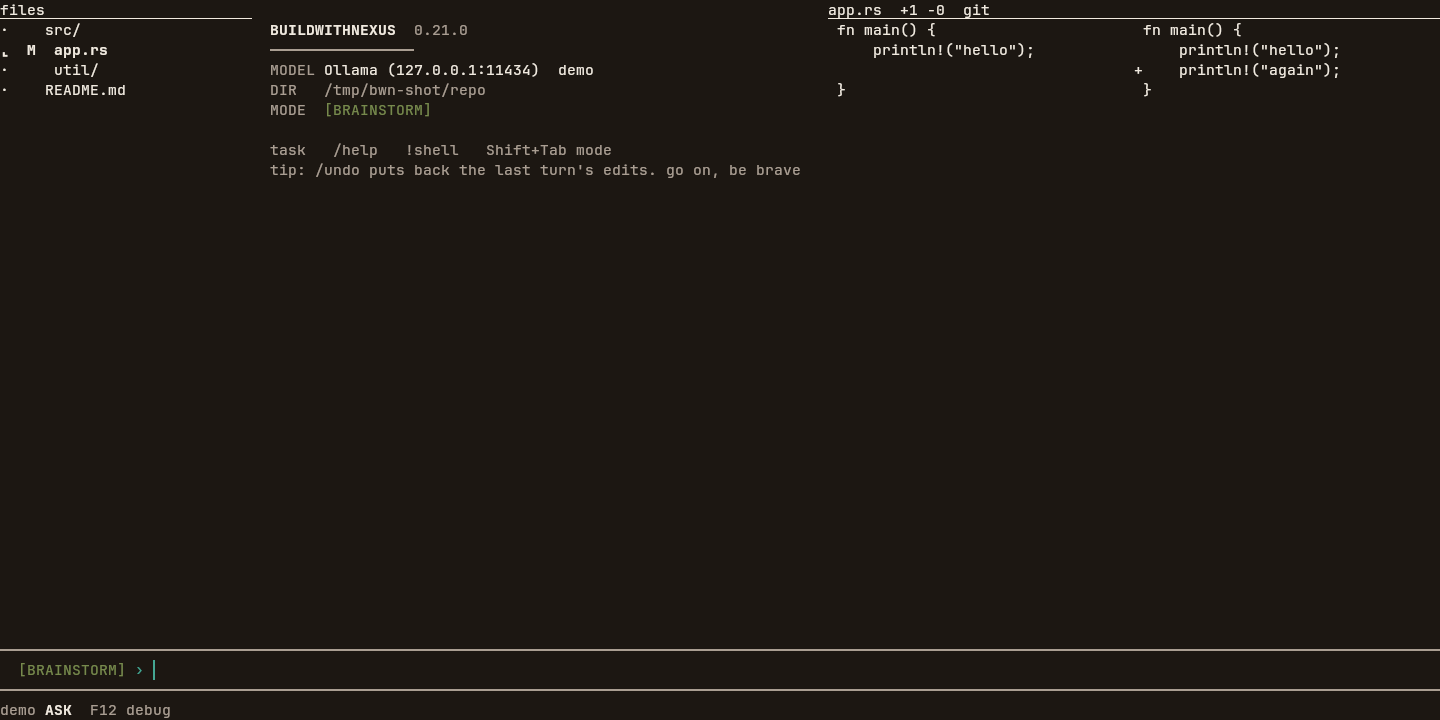
F2 opens the file tree, F3 the diff, and F4 the fuzzy finder.
The pictures are the dark theme, captured from the release binary in kitty.
Startup
The session opens on the alternate screen with the name, the version, a 16-cell hairline,
and labeled MODEL, DIR, and MODE rows. Under that is a
one-line reminder, task /help !shell Shift+Tab mode,
and one tip. The composer sits between two hairlines. While you are idle the footer names the
model, the permission mode, and F12 debug. While the agent works, that mode word
becomes WORK plus the elapsed time.
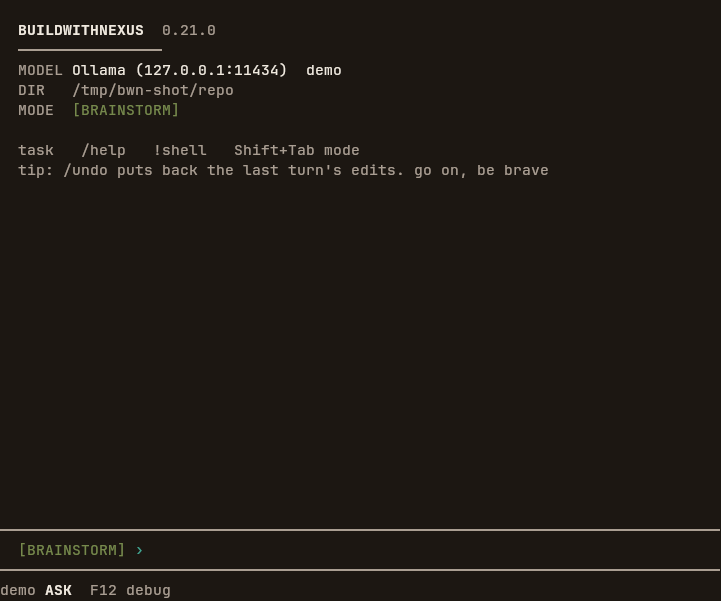
ASK, and F12 debug.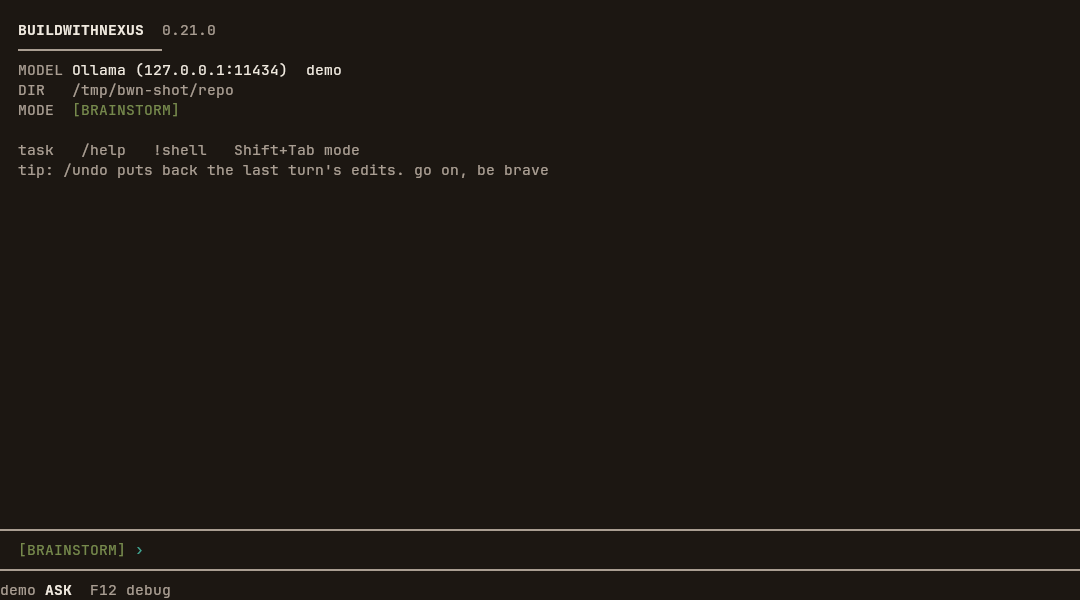
Debug panel
The panel is hidden until you open it. While it is hidden, a frame does not allocate, does not
read /proc, and does not record. Opening it once, with F12,
/debug, or BWN_DEBUG=1, starts recording and keeps that record so a
later reopen still has the turn. Frame time and allocation counts are sampled only while the
panel is on screen.
F12 cycles hidden, strip, panel, fullscreen, and back to hidden.
/debug with no argument opens the panel directly and prints
F12 cycles strip/panel/full, F8 break, F10 step, F5 run, Esc strip.
BWN_DEBUG=1 starts on the strip.
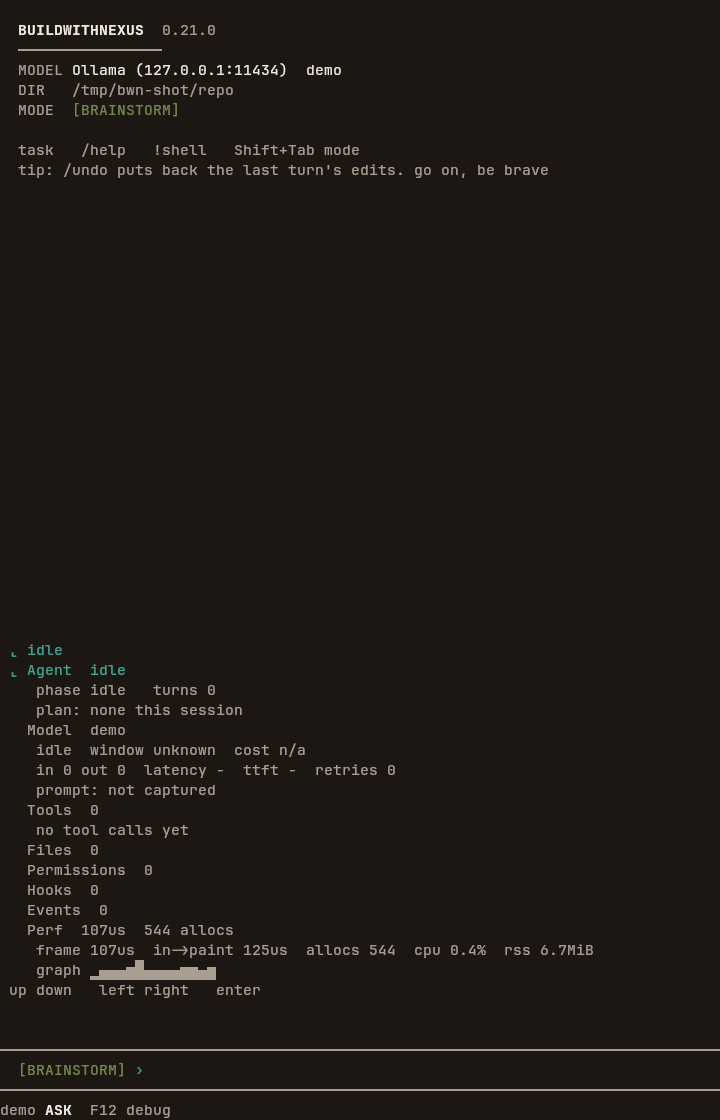
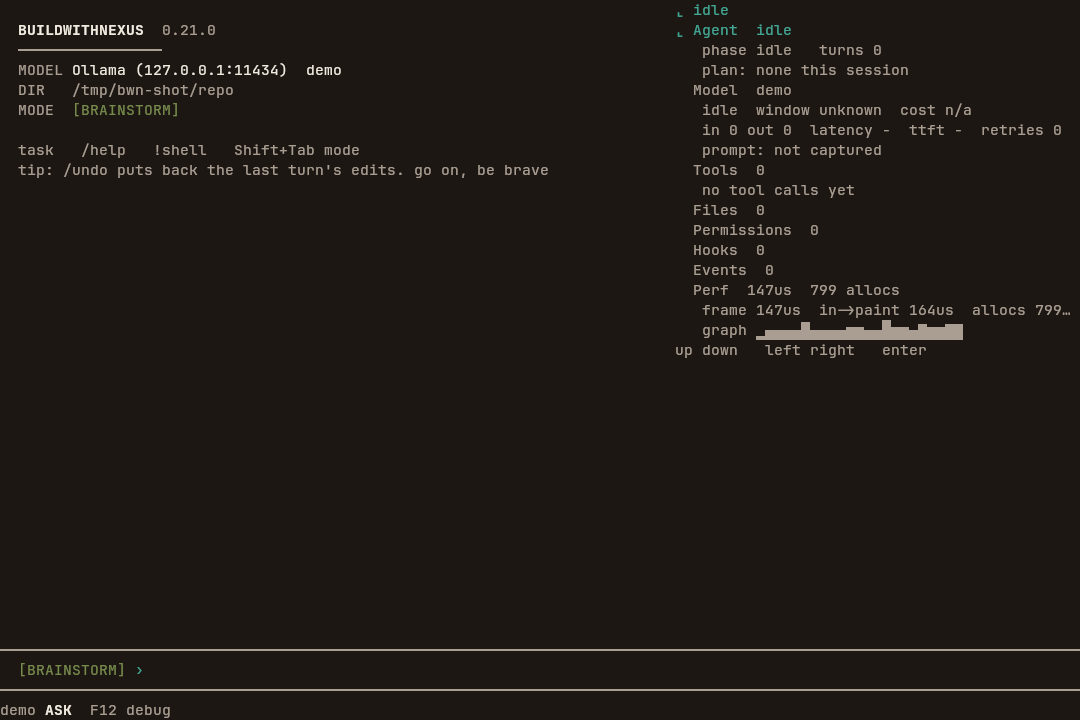
The strip is one row: the phase, the turn count, the last frame time, the allocations in that frame, the CPU percent, and a sparkline. Under 120 columns the panel is the bottom two fifths of the screen. At 120 columns and wider it is a column on the right, 46 columns or half the width, whichever is smaller, and at least 20 columns. Fullscreen uses every row.
The sections, in order, are Agent, Model, Tools, Files, Permissions, Hooks, Events, and Perf.
Agent, Model, Tools, and Perf start open. The others start collapsed. A phase row is drawn
before the sections, with a notch and the phase name, and the Agent summary repeats that phase.
An idle panel therefore shows ⌞ idle and then ⌞ Agent idle. The focused
section also carries ⌞, and those notch rows are the mark color. While the panel or the fullscreen view is up, the keys in the table below go to
the panel. Esc returns to the strip and leaves the record armed.
F12 from fullscreen hides it.
| Key | Action |
|---|---|
| F12 | Cycle hidden, strip, panel, fullscreen, hidden. |
| F8 | Arm a break before the next model request or tool call. The phase becomes paused. |
| F10 | Step one checkpoint. This acts after the debugger has been opened. |
| F5 | Continue. This clears the break. It acts after the debugger has been opened. |
| Esc | From the panel or fullscreen, return to the strip. |
| ↑ ↓ | Move between sections. Inside an open Tools or Files section, move between those rows. |
| ← → | Collapse or expand the focused section. |
| Enter | Toggle the focused section. On a tool row, show or hide its working directory, removed environment, and output. On a file row, open that file in the diff. |
These /debug arguments call the same keys, or write and reload the trace:
/debug
/debug pause
/debug step
/debug continue
/debug export
/debug export trace.jsonl
/debug replay trace.jsonl
break is pause. run is continue.
export with no path writes bwn-debug.jsonl in the current directory.
When the session has no trace yet, export reads
~/.buildwithnexus/debug-last.jsonl, or the newest .jsonl file in
~/.buildwithnexus/traces/. NEXUS_HOME replaces
~/.buildwithnexus. replay loads a file and opens the fullscreen view.
An unknown argument prints try: export, pause, step, continue, replay <file>.
From the shell, bwn debug export and bwn debug replay are the same
commands. bwn debug and bwn debug help print the two lines. In a
terminal, bwn debug replay opens the panel: q leaves it, and
Esc leaves it from the strip. Without a terminal it prints the fullscreen view at 80
by 24 and the record count.
IDE view
The tree and the diff stay hidden until F2 or F3. While they are hidden, a frame does not walk the directory. Under 120 columns, the focused pane fills the screen. At 120 columns and wider, the tree, the conversation, and the diff sit in columns at once. The tree starts at 28 columns, clamped between 16 and a third of the terminal. The diff starts at 52, clamped between 24 and half the terminal. The conversation keeps at least 20 columns.
| Key | Action |
|---|---|
| F2 | Toggle the tree. Turning it on focuses the tree, lists the working directory, and reads git status. |
| F3 | Toggle the diff. Turning it on focuses the diff. Turning it off returns focus to the conversation. |
| F4 | Toggle the fuzzy finder. This works when the tree is on. Turning it off clears the query. |
| F6 | Move focus from the conversation to the tree, then the diff, then the conversation, and turn that pane on. This does nothing until the tree or the diff has been opened. |
| Alt+[ Alt+] | Shrink or grow the tree column by 2, between 16 and 48. The width is used at 120 columns and wider. |
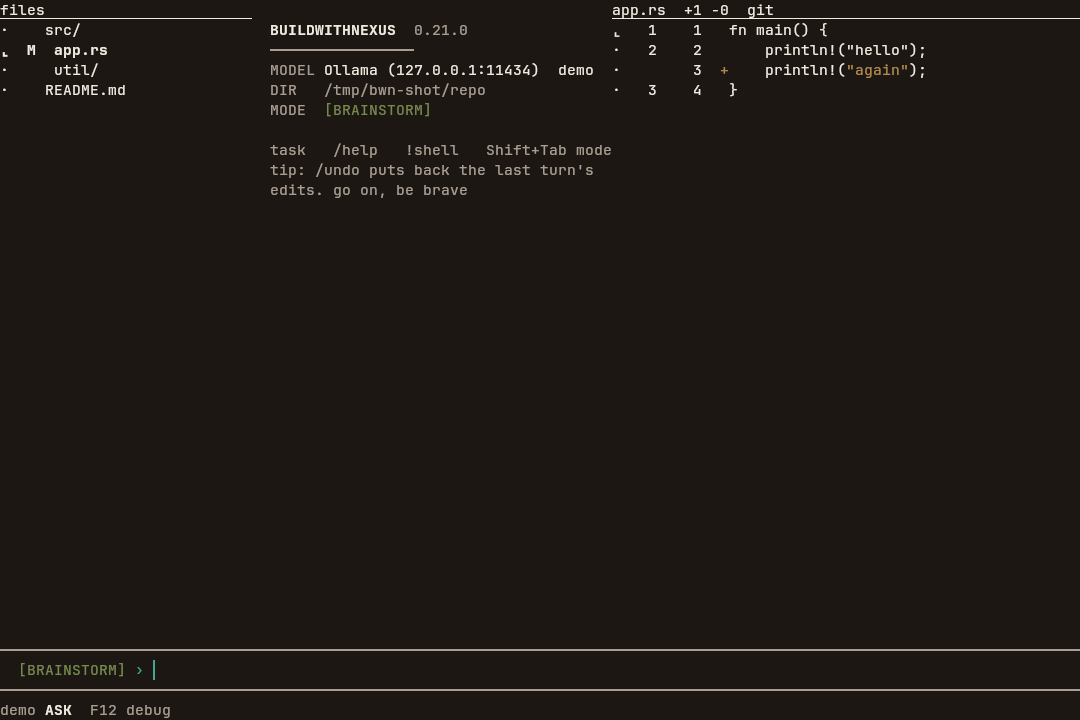
app.rs is marked M and the diff title is app.rs +1 -0 git.File tree
The title is files, or tree when that word does not fit. The selected
row starts with ⌞ and is bold. Other rows start with ·. Next is a mark
from tool activity after the tree or diff is open: a blank, r for a read,
m for a modification, + for a file created in the session, or
d for a deletion. Then the two letters from git status, then the name.
Directories end with /. The listing uses the same ignore rules as the file tools.
With the tree focused, ↑ and ↓ move. Enter expands or collapses a directory, or opens a file in the diff. → expands a directory. ← collapses one.
F4 starts the finder. The title becomes jump plus what you have typed.
Each character you type is a case-insensitive substring of the file name, not the directory.
The list shows the matches that fit on screen. Enter opens the first match in the
diff and closes the finder. Backspace deletes a character. Esc cancels.
The walk stops after the rows on screen or 8,000 directories.
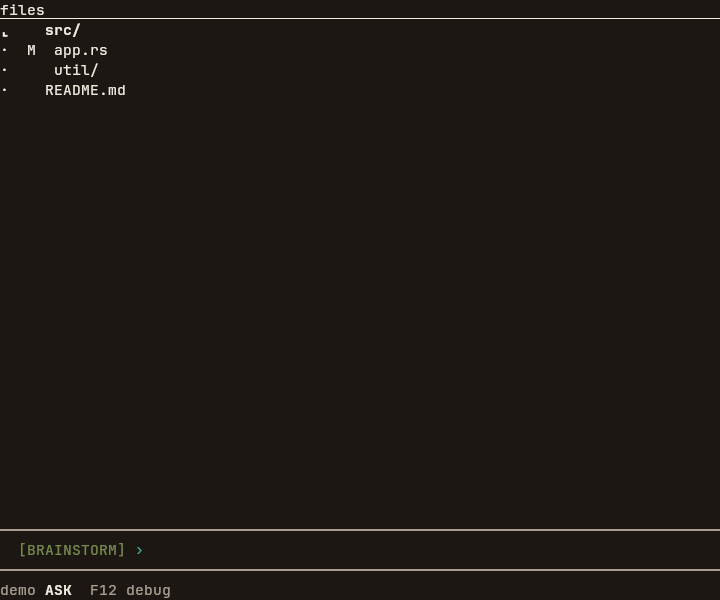
src/ is selected, and app.rs carries the git status M.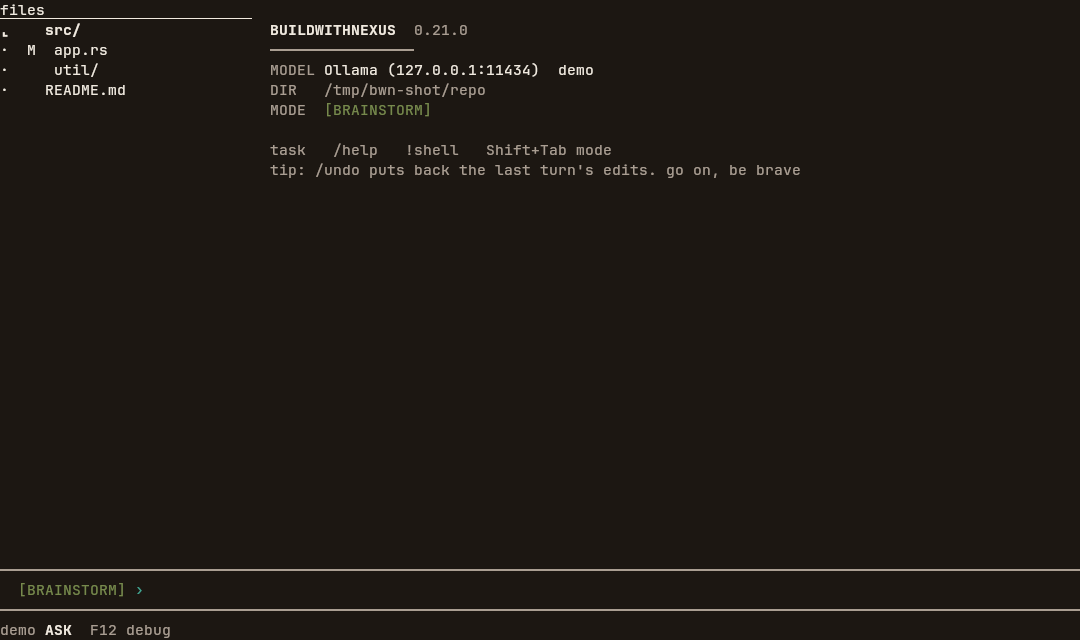
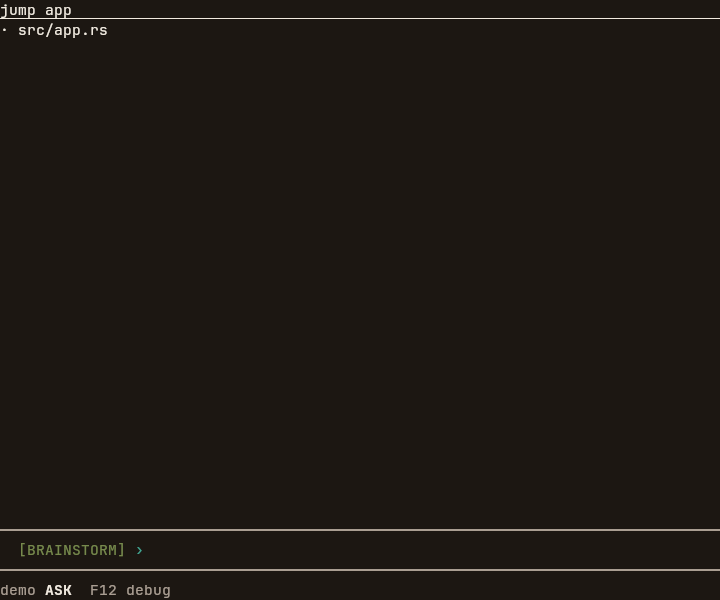
app. The hit is the file name, shown with its path.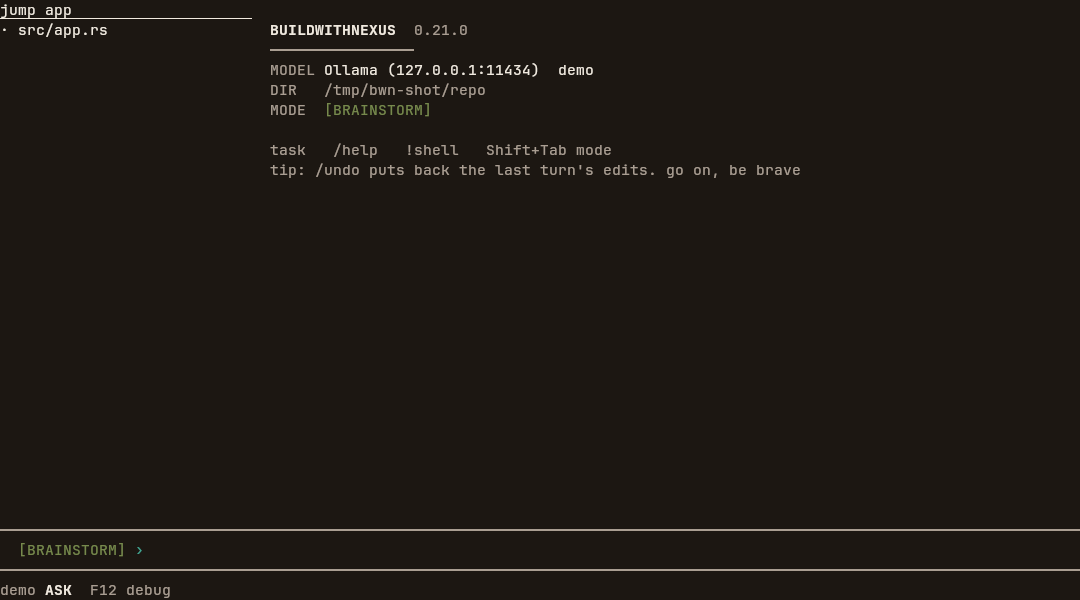
Diff
The title is the file's base name, the added and removed line counts as +N -M,
and a mode word when the line fits. The word is git when the comparison is
HEAD, side when side by side is on, the terminal is at least 120
columns, the diff pane is at least 64 columns, and the comparison is the session baseline, and
unified otherwise. A shorter window drops the word, then the counts.
Numbered rows show ⌞ on the current row and · on the others, then the
old line number, the new line number, a blank or x, and + or
-. The + sign uses the success color and the - sign uses
the error color. In the dark theme the success color is bronze, not the teal mark. A side by side
row is not recolored. The changed text is highlighted for the file's extension.
Enter on a file compares it with the session baseline: the bytes from before a tool
changed the file, or the file itself when nothing has changed it yet. That second case is
+0 -0. g switches between that baseline and git show HEAD:path.
↑ and ↓ scroll one row. n and p move to the next and
previous hunk. x accepts or rejects the hunk under the cursor. Hunks start accepted.
A rejected hunk shows x in the gutter. When a file edit is waiting to run and this
diff is that edit, a rejected hunk is left out of the write.
v toggles side by side and, when turning it on, raises the stored diff width to at
least 68 columns. The rows are drawn as two columns when side by side is on and the diff pane is
at least 64 columns wide. Under 120 columns the diff pane is the whole terminal, so an
80-column window is wide enough. At 120 columns and wider the diff pane is at most half the
terminal. With the tree and the conversation open, that half reaches 64 columns at a terminal
width of 128. At 120 and 124 the rows stayed numbered. At 128 they split. A comparison against
HEAD keeps the title word git while the rows are side by side.
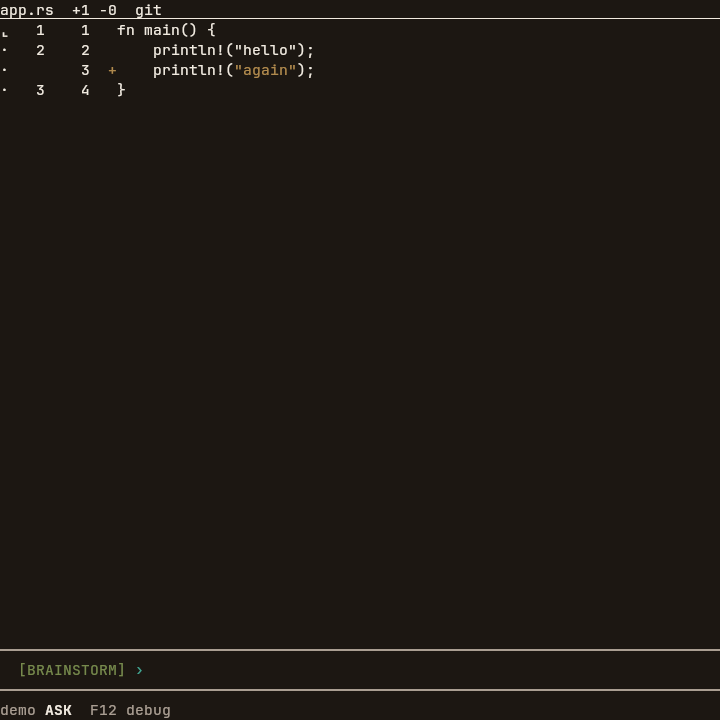
app.rs with HEAD, so the title says git and the counts are +1 -0.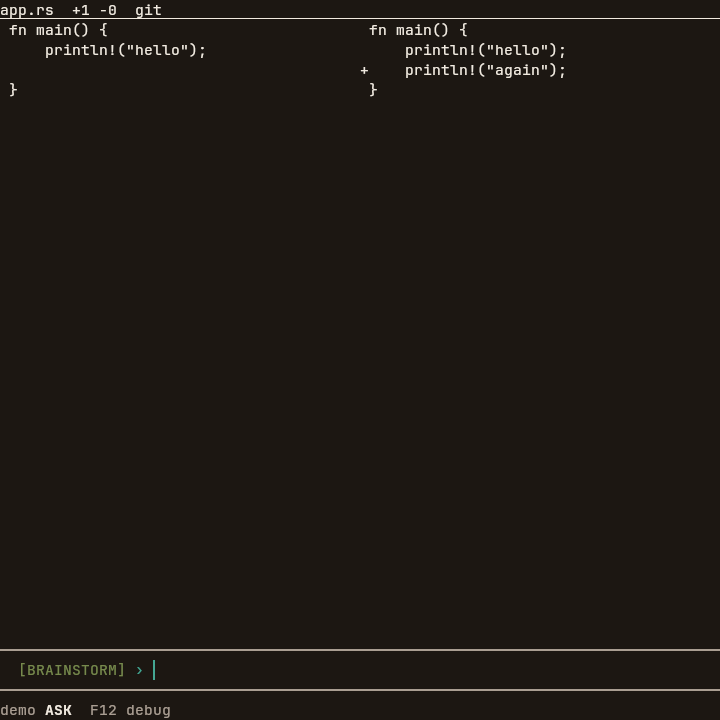
git.